
Marketing automation integrations connect your marketing platform to CRM, ad, and event systems so leads, updates, and campaign triggers move automatically instead of through manual exports. Done right, they cut manual data entry, stop leads from falling through the cracks, and give you attribution you can actually trust. The first move isn’t picking a tool. It’s auditing who owns which field and building a mapping sheet before you connect anything.
TL;DR:
- Native connectors are ideal for simple, object-matching systems, but middleware becomes more cost-effective as integration complexity and volume increase.
- Event-driven integrations require careful handling of retries, ordering, and idempotency to prevent data duplication and loss, especially in high-volume setups.
- Assigning a single system of record for every critical field and documenting data contracts beforehand minimizes conflicting updates and reduces data corruption risks.
- Integrations must recognize the same individual across systems using a cross-platform ID map and structured consent data, especially under GDPR compliance.
- Reliable, staged rollout procedures and monitoring key metrics such as error rates and duplicate creation prevent silent failures and ensure sustained data integrity.
Table of Contents
- What Are Marketing Automation Integrations and Their Main Types?
- Where Do These Integrations Actually Show Up?
- Point-to-Point, Hub-and-Spoke, or Event-Driven?
- Best Practices Checklist for Planning Integrations
- How Do You Handle Identity and Consent Across Systems?
- Native Connectors, Middleware, or Custom Builds?
- How Do You Roll Out an Integration Without Breaking Things?
- Why Integration Reliability Matters More Under Pay-Per-Result Models
- Should You Build Integrations In House or Hire Help?
- Sources
- FAQ
How it works
How an AI sales agent books your appointments
Your list or CRM
We start from data you already own — past enquiries, dormant customers, or a targeted prospect list.
The agent makes contact
Email, SMS and voice, with follow-up that persists for weeks instead of stopping after two attempts.
Qualified against your rules
Budget, timing and fit are checked before anything reaches your team, using criteria you set.
Booked into your calendar
Only qualified prospects reach the booking step, so your closers spend their time selling.
MAKE MORE SALES.
Pay-Per-Result pricing — We scale sales HARD aligned to your interests, better than anyone else.
What Are Marketing Automation Integrations and Their Main Types?
An integration is any connection that moves data or triggers an action between your marketing automation platform (MAP) and another system without a person copying and pasting. A lead fills out a form, the MAP creates a contact, the CRM gets a matching record, and a sales rep gets a task. That whole chain is one integration doing its job, and connecting your martech stack is the actual goal, not just having a checkbox next to a vendor name.
Not all connections work the same way. The pattern you choose determines how fast data moves and how much it costs to maintain:
- Native connectors — prebuilt links that work out of the box when both systems share similar objects and fields.
- API-based syncs — custom code pulling or pushing data on a schedule or on demand.
- Webhooks — event-driven triggers that fire the instant something happens, like a form submission.
- Batch imports — scheduled bulk transfers, useful for large, low-urgency datasets.
- Middleware or iPaaS — a layer that sits between systems to route, transform, and retry data.
Pick sync when you need an immediate, blocking response (checking inventory before confirming an order). Pick async, event-driven webhooks when speed matters but nothing has to wait on the result, like updating a lead score.
Want this done for you? We book qualified sales appointments on a Pay-Per-Result basis — you only pay for calls that actually land in your calendar.
Where Do These Integrations Actually Show Up?
Some integrations face the customer directly. Others just keep your internal reporting honest. Both categories matter, and most companies underinvest in one or the other.
- Lead capture to CRM. A form submission flows into the MAP, gets scored, and lands in the CRM as a qualified record within seconds, not hours.
- Event registration to nurture journeys. Someone signs up for a webinar, and that action triggers a specific email sequence based on what they registered for.
- Ad audience sync. Customer lists or engagement segments push to ad platforms automatically, so retargeting stays current without a weekly manual export.
- Unsubscribe writeback. When someone opts out in one system, that status has to propagate everywhere, including the CRM and any ad platform holding their data.
- Enrichment services. Third-party data providers add firmographic or behavioral details to a lead record the moment it’s created.
- Billing and orders suppression. Paying customers get pulled out of acquisition campaigns automatically so you’re not running ads at people who already bought.
- Reporting and warehouse sync. Campaign and CRM data flow into a central warehouse so attribution reporting reflects reality, not a snapshot from last Tuesday.
Common workflows chain several of these together. A single form fill can trigger enrichment, CRM creation, lead routing, and an ad-suppression update within the same minute, which is exactly what good marketing automation integration is supposed to deliver.
Point-to-Point, Hub-and-Spoke, or Event-Driven?
Point-to-point connections are fast to build and painful to maintain. Every new system means a new custom link, and by the time you have six systems talking directly to each other, you’ve got fifteen potential failure points instead of six. Hub-and-spoke architecture routes everything through a central layer, so adding a new system means one new connection, not five.
Event-driven patterns scale better than constant polling, but they come with real engineering demands:
- Idempotency — processing the same event twice shouldn’t create duplicate records.
- Ordering — updates need to apply in the sequence they happened, not the sequence they arrived.
- Retries with backoff — a failed call should try again with increasing delay, not hammer the API immediately.
- Dead-letter queues (DLQs) — failed events need a holding area for review instead of vanishing silently.
Integration playbooks consistently recommend defining data contracts up front and building in resilience through idempotency and retry logic, because vendor APIs change without warning and systems that skip that groundwork break the first time a schema shifts.
Pro Tip: If you’re integrating fewer than three systems and the data flow is simple, a native connector or direct API call is fine. The moment you add a fourth system or need transformation logic, middleware pays for itself in reduced maintenance.
If we can’t make you money, we don’t deserve yours.
Pay-Per-Result pricing — performance-based alignment.
Best Practices Checklist for Planning Integrations
Bad data isn’t a minor annoyance. It’s a direct financial drain, and bad data costs the U.S. economy roughly $3 trillion a year according to Harvard Business Review’s analysis. Every integration you build is either shrinking that cost inside your own funnel or adding to it.
- Assign a system of record for every critical field. Decide, in writing, whether the CRM or the MAP owns lifecycle stage, lead status, and contact details.
- Write data contracts before connecting anything. Document field names, types, and required values on both sides so nobody discovers a mismatch in production.
- Set sync direction and overwrite rules per field. Some fields sync one way only; others need conflict rules for which system wins.
- Build monitoring, logging, and alerting from day one. You need to know an integration failed within minutes, not when a sales rep complains about missing leads.
- Test edge cases before launch. Run duplicate records, malformed data, and consent opt-outs through the pipeline before real leads do.
Practitioner guidance on CRM and MAP integration consistently lands on one rule: pick a single owner per field and stick to it, because conflicting updates between systems are the single most common cause of data corruption in shared pipelines.
How Do You Handle Identity and Consent Across Systems?
Every system you connect needs a way to recognize the same person consistently, and that’s harder than it sounds. Email addresses change, get typo’d, or get shared across household accounts. Relying on email alone as your canonical identifier is a common mistake that causes duplicate records and broken attribution the moment someone signs up with a work address instead of a personal one.
- Maintain a cross-system ID map that ties each platform’s internal record ID to a single canonical identity.
- Set explicit deduplication rules: does a new record fill empty fields only, or overwrite existing ones?
- Capture consent as structured data, not a flag: source, timestamp, and purpose, all logged at the moment consent is given.
- Test your consent writeback path specifically, because native connectors frequently drop consent metadata during a sync.
That last point trips up more teams than any other governance issue. Consent fields get dropped during syncs often enough that verifying capture source, timestamp, and purpose mapping should be a standing item on every integration audit, not a one-time check, particularly for anything touching GDPR-covered contacts.
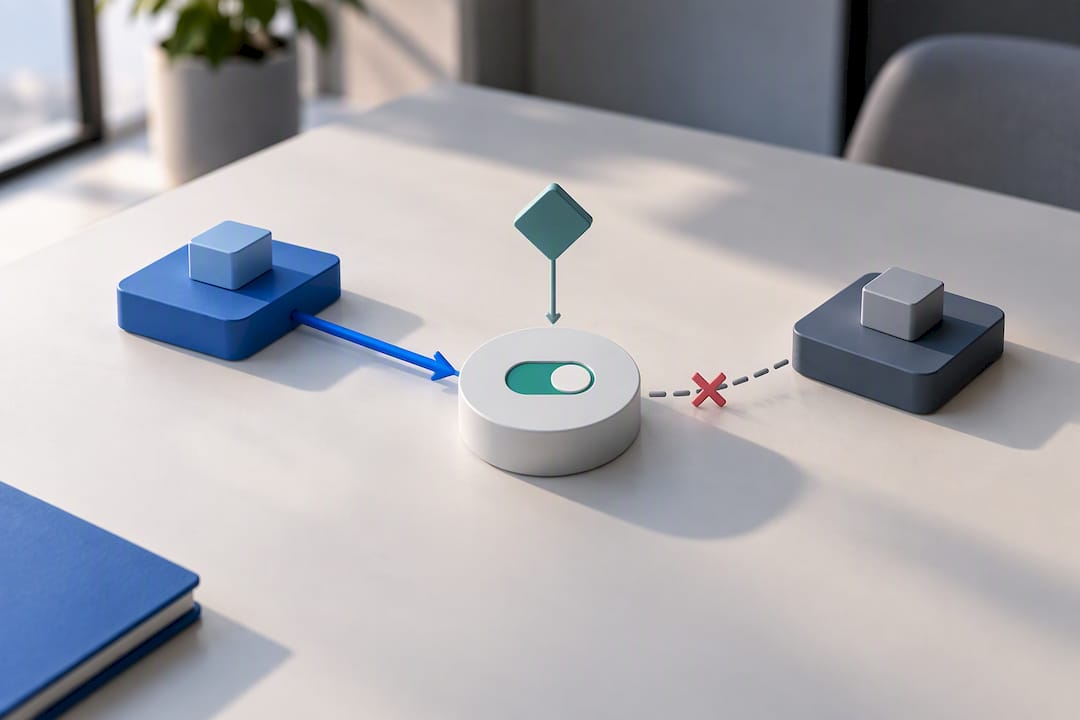
Pro Tip: Never let two systems both have write access to the same consent field without a documented tiebreaker. If both can overwrite it, one of them eventually will, and you won’t find out until an audit.
Native Connectors, Middleware, or Custom Builds?
Native connectors are the fastest path when the two systems you’re linking share similar object structures. Vendor integration marketplaces list dozens of these prebuilt options, but they only work cleanly when field parity actually exists between platforms, not just when a listing says “integrates with.”
- Native connectors solve straightforward, common connections quickly with minimal engineering time.
- Middleware or iPaaS platforms centralize transformation logic, retry handling, and observability across many connections at once, which is why middleware reduces the number of custom connectors a team has to maintain long term.
- Custom API or webhook builds give you full control over logic and edge cases, at the cost of ongoing maintenance every time either vendor changes their API.
- Managed integration services make sense when internal engineering bandwidth is limited and reliability matters more than owning the code.
How Do You Roll Out an Integration Without Breaking Things?
A rushed integration launch is how leads quietly disappear for two weeks before anyone notices. Follow a sequence, not a leap.
- Preflight: Audit every field involved and finalize the mapping sheet. Build a test dataset that includes duplicates and edge cases, not just clean sample records.
- Staged rollout: Launch to a limited cohort first, monitor closely, then expand once the numbers hold steady.
- Monitor the metrics that matter: error rate, duplicate creation rate, time-to-owner for new leads, and consent mismatches.
- Document rollback procedures. Someone needs to own the runbook, and that person needs to know exactly how to reverse the change if error rates spike.
Practitioner guidance on integration engineering points to the same core defenses again and again: enforce idempotency, use exponential backoff with jitter on retries, and validate schema on every call so a silent vendor API change doesn’t corrupt data before anyone notices.
If your error rate holds under a small load, scale up. If it doesn’t, you’ve limited the damage to a fraction of your pipeline.*

Why Integration Reliability Matters More Under Pay-Per-Result Models
The agency operates on a pay-per-result basis, meaning payment occurs only when a qualified appointment lands on a client’s calendar. That structure makes integration reliability a financial issue, not just an operational one. If event flow breaks or consent status fails to propagate, both sides lose: the client misses a real appointment, and the incentive alignment the whole model depends on breaks down.
- Reliable lead routing determines whether a booked appointment reaches the right calendar in time.
- Accurate consent writeback protects both the client and the lead from compliance exposure.
- Continuous data flow between AI outbound systems and client CRMs is what keeps funnel optimization grounded in real numbers instead of guesswork.
— Riley
Should You Build Integrations In House or Hire Help?
Build in-house when you have engineering bandwidth, strict compliance needs, and want full observability. Choose middleware when you’re connecting many systems and need centralized retry logic without custom code for each one. Hire a managed service when speed matters more than control. Document your field mappings and volume expectations before any vendor call. For a structured starting point, this marketing automation checklist for SMBs covers the planning basics well.
Sources
- The Integration Engineering Playbook: Reliable, Secure API Connections Between Business Systems | ThinkBot
- Integrating Your CRM with Marketing Tools: A Sales Ops Playbook
- Bad data costs the U.S. $3 trillion per year
- Marketing automation integration: A guide to connecting your martech stack
FAQ
What Are the Top Marketing Automation Tools for Integrations?
The strongest options tend to support native connectors for common CRM and ad platforms while also offering open APIs and webhooks for custom builds. Rather than chasing a specific brand, evaluate platforms by whether they support event-driven triggers, field-level sync control, and consent writeback, since those capabilities matter more than the logo on the login screen.
What Are Examples of Marketing Automation?
Common examples include automatically scoring and routing a new lead from a form fill, triggering a nurture email sequence after event registration, and syncing customer lists to ad platforms for retargeting. Each of these depends on an integration moving data between the marketing platform and another system in near real-time, as outlined in this overview of marketing automation integration.
Can You Give an Example of Marketing Integration?
A typical example: a prospect submits a demo request form, the MAP creates a lead record and enriches it with firmographic data, the CRM receives that lead within seconds, and a sales rep gets an assigned task automatically. That single chain touches four systems and depends on reliable event flow at every step, which is exactly the kind of workflow common integration use cases describe.
What Marketing Automation Solutions Should I Consider?
Rather than ranking a fixed list, evaluate solutions against your specific needs: object and field parity with your CRM, support for webhooks versus polling only, and how well the platform handles consent metadata during syncs. Teams with limited engineering capacity often do better pairing a mainstream MAP with a managed integration service than trying to force a complex custom build in-house.
How Do I Know If My Integration Setup Is Working?
Track error rate, duplicate record creation, time-to-owner for new leads, and consent mismatch rate as your core health metrics. If any of these trend upward after a change, that’s your signal to check the mapping sheet and sync logs before the issue reaches your sales team.
Recommended
- Database Reactivation: How We Hit 4.4% Average (and 8.9% Peak) Conversion on Dormant CRM Leads
- How To Re-Engage Old Fitness Client Leads
- 10 email marketing tips for gyms that you need to follow!
- 6 FITNESS BUSINESS LEAD GENERATION HACKS
Pay-Per-Result appointments
See if we’re a fit
We book qualified sales appointments for you and you pay on results, not retainers. Our booking page asks a few quick questions so you find out in two minutes whether that model suits your business.
- 50,769+ appointments booked without cold calling.
- Pay-Per-Result pricing — you pay for booked, qualified calls.
- Pick your own time on our live calendar, no phone tag.