
AI sales agents are software systems that act on CRM and prospect data to qualify leads, book meetings, and draft outreach either autonomously or alongside a human rep. The realistic payoff is more booked meetings, faster response to inbound interest, and reps who spend less time on admin. Sales-led B2B teams with repeatable outreach and reasonably clean CRM data get the most value; teams without either should fix that first.
TL;DR:
- Autonomous AI sales agents are most effective when handling full workflows, especially for teams with clean CRM data and repeatable outreach.
- These agents improve key metrics like time-to-first-contact and meetings booked per 100 leads, with ROI best measured by actual booked meetings and pipeline velocity.
- Data quality, trust layers, and governance are critical, requiring ongoing review and explicit escalation rules to prevent silent failures.
- Native CRM integration offers faster setup and immediate activation, while standalone tools support more complex logic but need longer deployment time.
- A pay-per-result model like LeadsNow AI aligns costs directly with outcomes, eliminating guesswork and providing a safer, results-based pilot approach.
Table of Contents
- Types of AI Sales Agents and How Each Gets Used
- Sales Funnel Use Cases That Actually Move Numbers
- Benefits and What Realistic ROI Looks Like
- Integration and Data Requirements That Determine Whether It Works
- A Realistic Implementation Checklist and Timeline
- Risks, Guardrails, and Keeping Agents Honest
- How LeadsNow AI Applies This in Practice
- Buy vs Build: The Decision Sales Leaders Actually Face
- Considering a Pay-Per-Result Route Instead of Building In-House
- Sources
How it works
How an AI sales agent books your appointments
Your list or CRM
We start from data you already own — past enquiries, dormant customers, or a targeted prospect list.
The agent makes contact
Email, SMS and voice, with follow-up that persists for weeks instead of stopping after two attempts.
Qualified against your rules
Budget, timing and fit are checked before anything reaches your team, using criteria you set.
Booked into your calendar
Only qualified prospects reach the booking step, so your closers spend their time selling.
MAKE MORE SALES.
Pay-Per-Result pricing — We scale sales HARD aligned to your interests, better than anyone else.
Types of AI Sales Agents and How Each Gets Used
Not every “AI sales agent” does the same job, and vendors muddy the water by using the term for anything with a chatbot interface. The real distinction that matters for evaluation is autonomy: does the agent act on its own, or does it assist a human who makes the final call?
Autonomous agents handle full workflows without a rep in the loop until a deal reaches a certain stage. They triage inbound chat and email, answer qualifying questions, and book meetings directly onto a rep’s calendar. A prospect fills out a form at 11 p.m., the agent asks three qualifying questions, checks the answers against your ideal customer profile, and puts a slot on your AE’s calendar before breakfast. That speed matters more than most teams assume, since a lead that waits even an hour past first contact is measurably harder to convert.
Assistive agents, sometimes called copilots, don’t act independently. They draft outreach sequences, suggest talk tracks, flag objections a rep might miss, and run coaching simulations. These tools augment a rep’s judgment rather than replace a step in the funnel. A rep still hits send, still runs the call, but spends less time staring at a blank email.
Specialized prospecting agents sit further upstream. They monitor intent signals, buying triggers, and firmographic changes, then surface a ranked list of accounts worth pursuing. Some platforms combine this with enrichment data to fill in missing contact details automatically, which is where tools like HubSpot’s AI prospecting agent fit into a broader stack.
Deployment mode shapes what you can realistically expect on day one:
- CRM-native agents live inside your existing CRM and use its data model directly, which usually means faster setup and fewer integration headaches.
- Standalone platforms run outside your CRM and sync data through APIs, giving more flexibility but demanding more setup work.
- Low-code / no-code builders let sales ops configure workflows without engineering support, trading some sophistication for speed of iteration.
Platform documentation on CRM-native versus standalone AI agents consistently frames the tradeoff the same way: native tools activate faster because they inherit your existing data structure, while standalone tools take longer to configure but often support more complex logic once they’re running. Neither is universally right. A five-person sales team piloting its first agent gains little from a standalone platform’s flexibility and a lot from a native tool’s speed.
Want this done for you? We book qualified sales appointments on a Pay-Per-Result basis — you only pay for calls that actually land in your calendar.
Sales Funnel Use Cases That Actually Move Numbers
Abstract capability lists don’t tell you much. What tells you something is the workflow, step by step, and the metric attached to it.
- Top-of-funnel prospecting. An agent scans intent data (website visits, job changes, technology adoption signals) and builds a prioritized account list. It drafts a first-touch email personalized with a specific trigger, like a recent funding round or leadership hire, rather than a generic template. Teams tracking this typically watch reply rate and meetings booked per 100 leads contacted.
- Inbound triage and qualification. A prospect submits a demo request. The agent responds within seconds, asks two or three qualifying questions (company size, timeline, budget range), and routes qualified leads straight to a rep’s calendar while parking unqualified ones in a nurture sequence. Time-to-first-contact is the metric that matters here, and it’s often the single biggest lever on conversion.
- Meeting booking with context transfer. Once a lead qualifies, the agent doesn’t just drop a calendar invite. It passes a summary of the conversation, stated pain points, and any objections raised to the rep before the call starts, so the rep isn’t opening cold.
- Coaching and roleplay. Assistive agents run mock call scenarios with new reps, flag filler words or missed discovery questions, and compare call transcripts against what top performers say in similar situations. This shortens ramp time for new hires, though it works better as a supplement to manager coaching than a replacement for it.
The metrics worth tracking across all four workflows are the same: meetings booked per 100 leads, time-to-contact, and conversion lift from lead to opportunity. Analysts studying AI’s role in sales point out that the real gain comes from automating repetitive tasks so reps can spend more time on the parts of selling that actually require judgment, not from replacing judgment itself. Vanity metrics like total messages sent tell you the agent is busy, not that it’s working.
Benefits and What Realistic ROI Looks Like
The most defensible benefit of AI sales agents isn’t a productivity buzzword. It’s time. Salesforce’s research on sales rep time allocation puts the number plainly: reps spend roughly 28% of their working time actually selling. The rest goes to data entry, scheduling, follow-up drafting, and internal admin. An agent that automates qualification and scheduling doesn’t make a rep better at closing. It gives that rep more hours to try.
Pro Tip: Don’t measure success by hours saved alone. Track what reps do with the reclaimed time. If selling hours go up but booked meetings stay flat, the bottleneck isn’t admin work, it’s something else in your funnel.
Common ROI signals worth tracking:
- Meetings booked per rep per week, before and after agent deployment
- Time from lead capture to first contact
- Pipeline velocity (average days from lead to closed deal)
- Cost per booked meeting under each pricing model
Pricing models vary enough to change the math significantly. Subscription pricing suits teams with predictable, high volume, since the per-lead cost drops as usage climbs. Usage-based pricing fits teams still testing volume, since you pay for what you actually run. Pay-per-result pricing, where you’re charged only when a qualified appointment lands on the calendar, suits teams that want cost tied directly to outcomes rather than software seats or subscriptions.
A simple ROI formula: (value of meetings booked) minus (cost of the agent solution), divided by (cost of the agent solution). For example, if an agent costs a few thousand dollars a month and generates a substantial number of qualified meetings that convert at a typical close rate with an average deal value in the thousands, that can justify the pilot on its own. Real numbers will vary by industry and deal size, but running this math before committing to a contract keeps expectations grounded.
If we can’t make you money, we don’t deserve yours.
Pay-Per-Result pricing — performance-based alignment.
Integration and Data Requirements That Determine Whether It Works
An AI sales agent is only as good as the data it can see. This is the part vendors gloss over, and it’s the part that actually determines whether a pilot succeeds.
At minimum, an agent needs access to your CRM, your calendar system, and ideally an enrichment or intent data source to fill gaps in contact records. Platform documentation on AI SDR agents is consistent on this point: agents built on CRM and business data need trust layers, meaning filters and review steps, to avoid acting on bad or outdated information. An agent that qualifies leads against stale firmographic data will misroute good prospects and waste time on bad ones, and it will do so confidently, which is worse than doing it visibly wrong.
Common data quality issues worth auditing before launch:
- Duplicate or merged contact records that confuse routing logic
- Missing or outdated company size and industry fields
- Inconsistent lead status definitions across sales and marketing
- Calendar conflicts between the agent’s booking logic and rep availability rules
CRM-native tools reduce some of this risk because they inherit your existing field structure rather than requiring a fresh data mapping exercise. API-based standalone tools offer more customization but need someone, usually sales ops or IT, to maintain the sync and catch breakage when a field gets renamed or a workflow changes upstream.
Human-in-the-loop patterns matter here more than most rollout plans account for. Even a fully autonomous agent benefits from a review step on its first few weeks of outbound copy and qualification logic, before you extend it to your full pipeline. Tracking data hygiene consistently, the way fitness businesses tracking sales data discover, tends to expose the same handful of structural gaps regardless of industry.

A Realistic Implementation Checklist and Timeline
Most failed pilots fail before launch, not during it, because nobody defined what “working” meant.
- Define the ICP and qualifying questions. Write down exactly who counts as a qualified lead and what three to five questions the agent should ask to confirm it. Vague criteria produce vague results.
- Set escalation rules. Decide upfront what triggers a handoff to a human rep: a specific objection, a high-value account, a request for pricing outside standard tiers.
- Pick your KPIs before launch, not after. Meetings booked, time-to-contact, and lead-to-opportunity conversion are the three that matter most.
- Select a pilot segment. Run the agent against one ICP segment or one channel first, with a control group running the old process in parallel, so you can compare results honestly.
- Set a monitoring cadence. Weekly review of transcripts and outcomes for the first month, tapering to biweekly once the agent’s behavior stabilizes.
- Set go/no-go criteria. Decide in advance what result justifies scaling versus what result means you pull back and adjust.
Pro Tip: Involve sales ops, security, and legal before launch, not after a data issue surfaces. A 30-minute review of what data the agent touches and where it’s stored saves weeks of cleanup later.
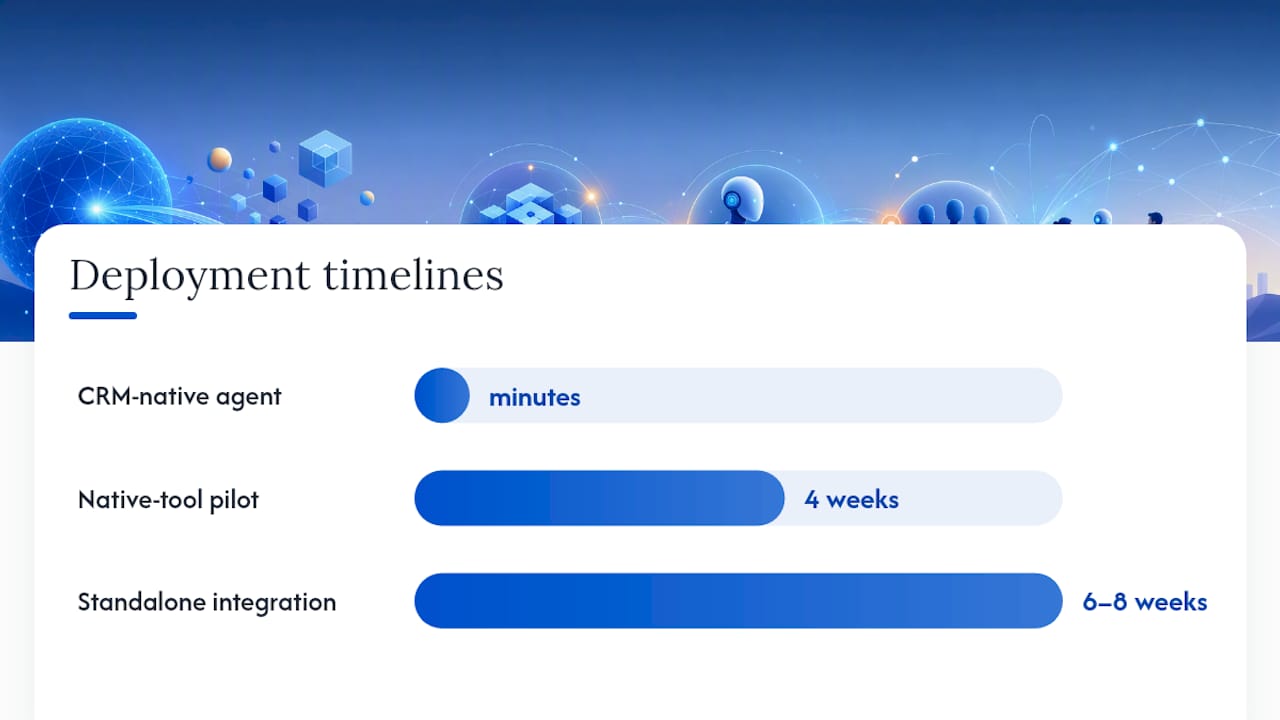
Timelines vary sharply by deployment type. Salesforce’s guidance on activation timescales notes that CRM-native agents can go live in minutes once configured, while standalone tools typically need weeks for integration, testing, and data mapping. Budget your pilot timeline accordingly. A four-week pilot is realistic for a native tool; a standalone integration often needs six to eight weeks before you have enough clean data to judge results fairly.
Risks, Guardrails, and Keeping Agents Honest
The biggest operational risk with autonomous agents isn’t that they’ll fail obviously. It’s that they’ll fail quietly, sending slightly wrong information or qualifying the wrong leads for weeks before anyone notices.
Trust layers, meaning content filters, defined data-use policies, and clear escalation rules, are the mechanism that catches this early. Market feedback from platforms like Clay consistently flags configurable guardrails and human escalation paths as the difference between agents that scale safely and ones that create cleanup work down the line.
Practical governance steps worth building in from day one:
- Log every agent decision (qualification calls, meeting bookings, message content) so you can audit what happened and why
- Set explicit rules on what personal data the agent can store, share, or act on
- Review a sample of agent conversations weekly during the first two months, not just when something goes wrong
- Build a clear escalation path for edge cases the agent wasn’t trained to handle
Gartner’s guidance on evaluating automation and agent solutions recommends judging vendors on integration depth, governance controls, and measurable outcomes rather than feature checklists. That’s a useful filter when a vendor pitch leans heavily on capability demos and lightly on how errors get caught. Hallucinated claims in outreach copy and accidental exposure of personal data in logs are the two failure modes worth testing for explicitly before you scale past a pilot.
How LeadsNow AI Applies This in Practice
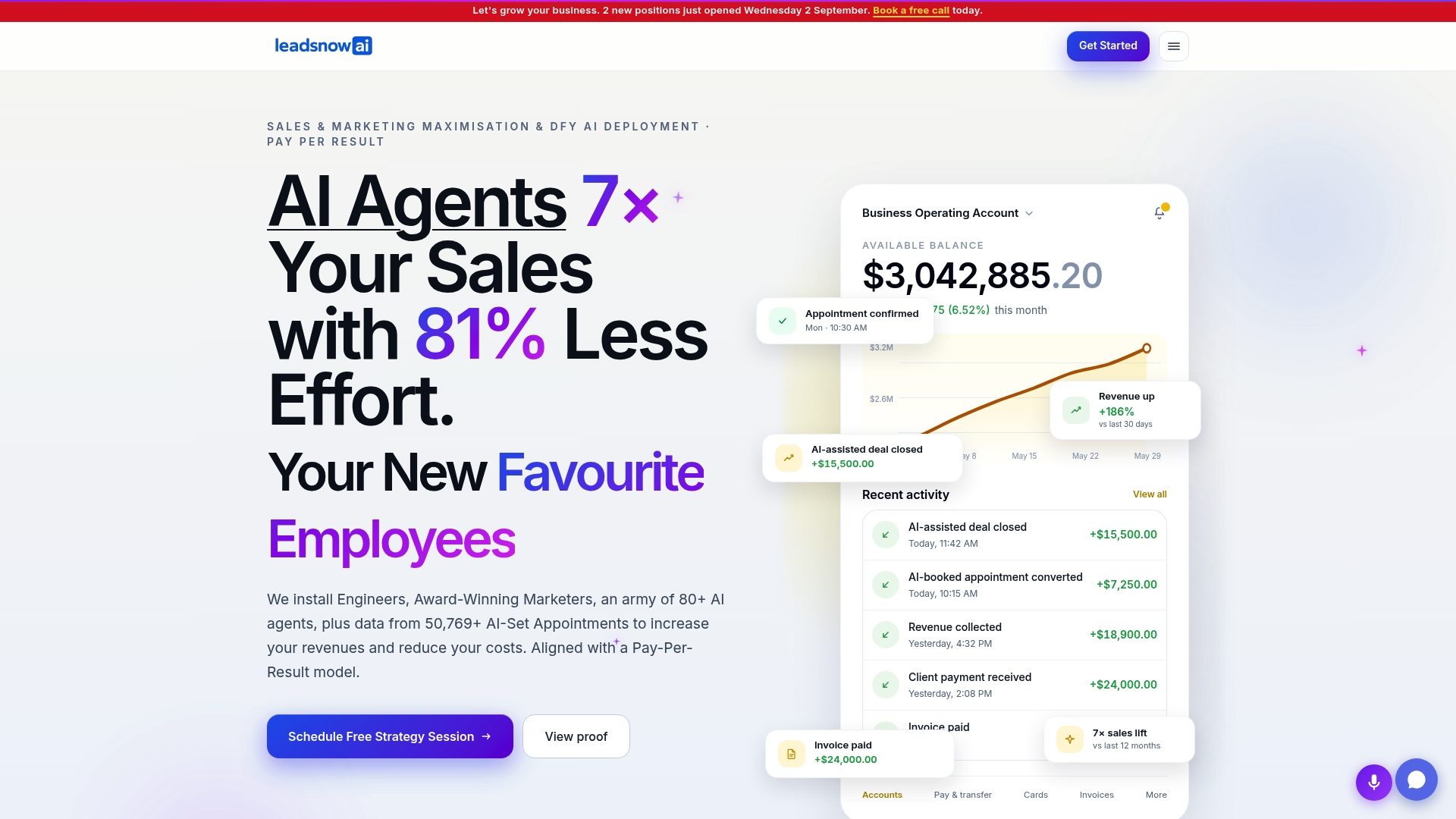
This company runs on a pay-per-result model: clients are charged only when a qualified appointment lands on their calendar, not for software access or agency retainers. That structure ties LeadsNow’s incentives directly to the client’s outcome, since there’s no revenue if the meeting doesn’t get booked.
The company reports a 7x sales lift and more than 50,769 AI-booked appointments across client campaigns, figures the company states about its own results. Those numbers come from combining AI sales agents with data analytics to continuously adjust targeting, messaging, and qualification criteria rather than running a static campaign and hoping it holds.
The core lesson from running agents at scale isn’t that automation replaces sales skill. It’s that most funnels leak far more qualified interest than teams realize, often through slow follow-up and inconsistent qualification, and an agent that closes that gap consistently outperforms one that’s simply “smarter” on paper.
Lessons worth borrowing for any pilot, regardless of vendor:
- Pair agent deployment with ongoing analytics review, not a one-time setup
- Build compliance-aware scripting into qualification flows from day one, not as an afterthought
- Treat funnel leakage as a measurable, fixable problem rather than an unavoidable cost of scale
Case examples across industries, including B2B SaaS demo-booking, show the same pattern: the gap between potential and captured revenue is usually a process problem before it’s a technology one.
Buy vs Build: The Decision Sales Leaders Actually Face
Building an in-house agent makes sense when you have engineering capacity, a genuinely unusual sales process, and time to iterate through failures. Most teams don’t have all three. Buying a managed solution, or a pay-per-result service that includes the agent as part of delivery, gets you to measurable results faster and shifts the integration risk onto the vendor.
The safer middle path is staged: pilot a CRM-native tool on one segment before considering a bigger build or a broader managed contract. This limits your downside while you learn what “good” actually looks like for your funnel.
Change management matters more than the technology choice. Reps who see an agent as a threat to their commission will find ways to route around it. Reps who see it as removing the parts of the job they hate will adopt it fast. Tie incentives to outcomes the agent enables, like meetings kept and deals closed, not to the agent’s activity metrics, and resistance mostly dissolves on its own.
— Riley
Considering a Pay-Per-Result Route Instead of Building In-House
If the buy-versus-build math in the last section leans toward buying, LeadsNow AI is worth a direct look, because the pricing model removes the guesswork this whole article is about. You don’t pay for agent licenses, setup time, or a subscription while you wait to see if qualification logic works. You pay when a qualified appointment actually lands on your calendar.
That structure fits a specific reader: a business owner, coach, gym operator, or consultant who wants the upside of AI-driven prospecting and qualification without hiring for it, building it, or managing the guardrails described above. They combine AI sales agents with continuous data analytics review, the same governance pattern this guide recommends building in-house, so campaigns get adjusted as results come in rather than left to run unchecked. For a concrete look at how the model performs against traditional staffing, the cost and performance breakdown for AI appointment setters versus human SDRs lays out the numbers side by side.
If you’re ready to see what a pay-per-result pilot looks like for your funnel specifically, the LeadsNow AI overview is the place to start, and requesting a pilot conversation costs nothing until a qualified meeting actually books.
Sources
- Gartner research (document) – category evaluation guidance
- How AI Is Streamlining Marketing and Sales | HBR
Recommended
- AI Appointment Setter vs Human SDR for Coaches: 2026 Cost & Performance Breakdown
- How to Price B2B SaaS Deals: A Framework Based on 1,425+ Booked Demos
Pay-Per-Result appointments
See if we’re a fit
We book qualified sales appointments for you and you pay on results, not retainers. Our booking page asks a few quick questions so you find out in two minutes whether that model suits your business.
- 50,769+ appointments booked without cold calling.
- Pay-Per-Result pricing — you pay for booked, qualified calls.
- Pick your own time on our live calendar, no phone tag.