
This page gives you copy-ready appointment setting scripts for phone calls, voicemail, email, follow-up, and breakup messages, along with the customization rules and testing framework that make them convert. The templates below follow a proven structure rather than a rigid transcript, and the measurement steps reflect patterns tracked across thousands of booked appointments.
TL;DR:
- Scripts should be tested over at least 200 calls or 30 days to accurately measure their effectiveness at each funnel stage.
- Customization involves identifying a timely trigger, matching the value line accordingly, and selecting qualifying questions and call-to-actions suited to the prospect’s relationship.
- Specific objection responses, like proposing precise alternative times or asking permission-based questions, help keep the conversation alive and qualify the prospect further.
- Using specific scheduling options and timely follow-up messages significantly reduces booking friction and improves the show rate.
- AI-driven outreach services with human review can accelerate script testing, qualification, and appointment booking while minimizing costs and manual effort.
Table of Contents
- What makes an appointment setting script actually work
- Copy-ready scripts and templates for every channel
- How to customize and role-play your scripts fast
- Objection handling and branching prompts
- Scheduling and low-friction confirmation best practices
- Measure and iterate: metrics and testing plan for scripts
- Why this works: evidence and publisher proof points
- What I’ve learned coaching reps off the script
- How LeadsNow AI can help you skip the testing phase
- Sources
- FAQ
How it works
How an AI sales agent books your appointments
Your list or CRM
We start from data you already own — past enquiries, dormant customers, or a targeted prospect list.
The agent makes contact
Email, SMS and voice, with follow-up that persists for weeks instead of stopping after two attempts.
Qualified against your rules
Budget, timing and fit are checked before anything reaches your team, using criteria you set.
Booked into your calendar
Only qualified prospects reach the booking step, so your closers spend their time selling.
MAKE MORE SALES.
Pay-Per-Result pricing — We scale sales HARD aligned to your interests, better than anyone else.
What makes an appointment setting script actually work
Every script that reliably books meetings shares the same five parts: an opener, a relevance statement, a value line, a qualifying question, and a low-friction call to action. Skip one of these and the call either stalls or turns into a pitch nobody asked for.
The opener has one job: earn six more seconds of attention. The relevance statement tells the prospect why you’re calling them specifically, not a random number on a list. The value line names the outcome you help people get, in one sentence, not three. The qualifying question checks whether this prospect is worth more of your time. The CTA asks for something small, a 15-minute call, not a signed contract.
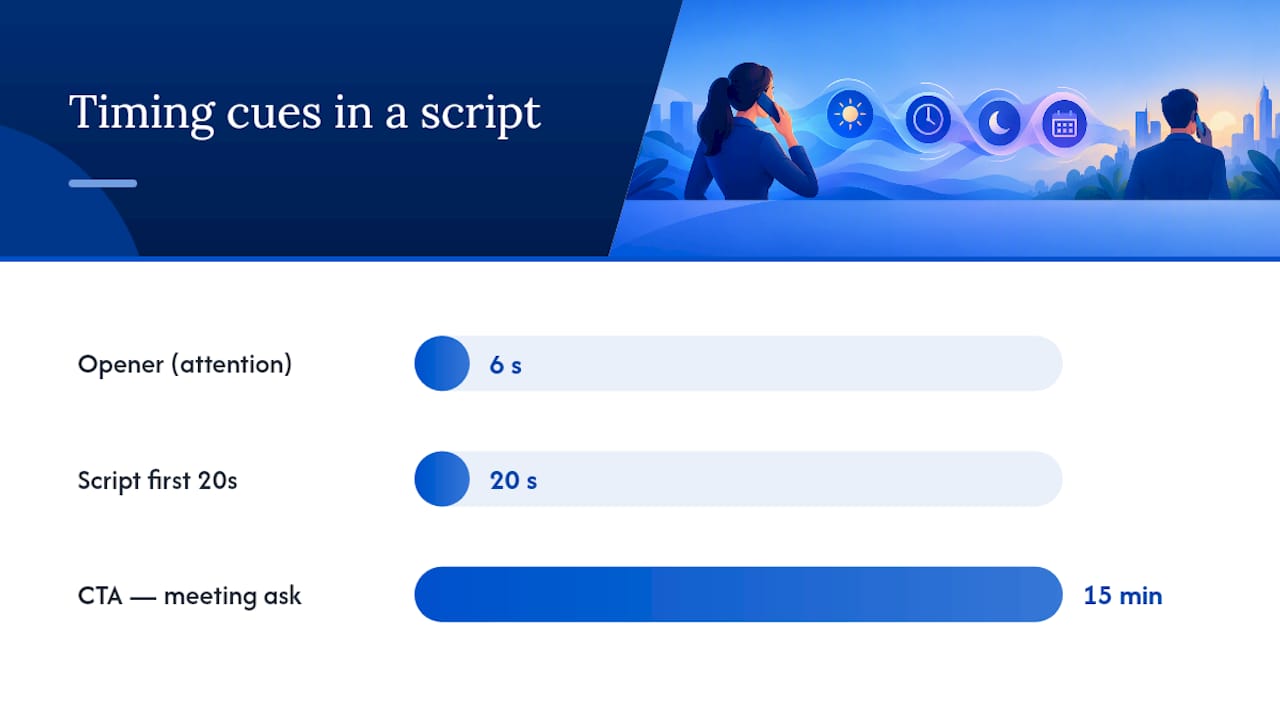
HubSpot’s sales scripting guidance recommends scripting only the first 20 seconds and treating the rest of the call as a guided conversation with branching prompts rather than memorized lines. This matters because a fully scripted call sounds like a fully scripted call, and prospects disengage the moment they hear one. A tight opener followed by real listening keeps the exchange natural while still giving new reps a safety net.
One spine, three scenarios:
- Cold call: opener names the trigger (“I noticed you just expanded to a second location”), then moves straight into the qualifier.
- Warm lead: opener references the prospect’s own action (“You downloaded our pricing guide last week”), then shortens the value line since interest is already established.
- Referral: opener leads with the referrer’s name, skips the relevance statement almost entirely, and moves faster to the CTA because trust is borrowed.
The same five-part structure works across all three because the parts flex independently. You are not writing three scripts, you are writing one script with three different openers.
Want this done for you? We book qualified sales appointments on a Pay-Per-Result basis — you only pay for calls that actually land in your calendar.
Copy-ready scripts and templates for every channel
These templates are meant to be copied, trimmed, and adjusted with your own product name and prospect detail. Swap variables are marked in brackets within the script text itself, not as placeholders for missing information but as fields you fill in before the call.
- Cold call opener (relevance-driven): “Hi [Name], this is [Your Name] with [Company]. I’ll be quick, I saw [specific trigger, like a funding round or new hire] and wanted to see if [outcome] is something you’re working on this quarter.” This works because it names a real, checkable fact about the prospect before asking for anything.
- Discovery-first opener: “Hi [Name], [Your Name] here from [Company]. Quick question before I say anything else: how are you currently handling [specific process]?” Leading with a question instead of a pitch respects the prospect’s time and surfaces useful information before you commit to a value line.
- Gatekeeper script: “Hi, I’m trying to reach whoever handles [department/function] there, could you point me in the right direction?” Keep this under ten seconds and never mention “sales” or “selling” in the request.
- Voicemail template: “Hi [Name], it’s [Your Name] with [Company]. I had a quick idea about [specific outcome] for [Company Name] and didn’t want to spring it on you cold. I’ll follow up by email, but feel free to call me back at [number].” Voicemails under 20 seconds get listened to more often than long ones because they respect the listener’s time.
- First outreach email: Subject: “[Prospect’s Company] + [specific outcome].” Body: “Hi [Name], [one sentence naming the trigger]. We’ve helped similar [industry] teams with [specific result]. Worth a 15-minute call next week?” One idea, one ask, no attachments.
- Follow-up email (day 3-4): “Hi [Name], following up on my note from [day]. No pressure, just wanted to check if [specific outcome] is on your radar this quarter. Happy to send over a quick example if useful.” This reframes the ask as helpful rather than pushy.
- Breakup email: “Hi [Name], I’ll stop reaching out for now since I haven’t heard back, but if [specific outcome] becomes a priority later, my note will still be here. All the best.” Breakup emails often get replies precisely because they remove pressure.
- Warm lead phone opener: “Hi [Name], you downloaded our guide on [topic] last week, so I wanted to see what prompted that and whether I can help directly.” Reference their own action first, skip the cold-call relevance statement entirely.
- Referral phone opener: “Hi [Name], [Referrer Name] suggested I reach out. They mentioned you’re dealing with [specific challenge], and thought it might be worth a quick conversation.” Borrowed trust means you can move to the CTA within two sentences.
- Dormant lead reactivation call: “Hi [Name], it’s [Your Name] from [Company]. We spoke a while back about [topic]. A lot has changed on our end since then, wanted to see if it’s worth revisiting.” Zendesk’s cold calling library treats this as its own category because dormant leads respond to acknowledgment of the gap, not a pretense that no time has passed.
Industry micro-variants change three things: the trigger you reference, the compliance language you include, and the proof point you cite.
- Healthcare: reference a specific regulatory or staffing pressure, add a HIPAA-aware disclosure line before discussing any patient data, and cite outcomes in terms of patient throughput rather than revenue.
- Finance: open with a licensing or compliance trigger, include the required identification disclosure early in the call, and quantify value in risk reduction or time saved on reporting.
- B2B software: lead with a specific tool or process gap, keep the value line to one metric the buyer already tracks, and use a shorter CTA since B2B buyers often expect a demo request rather than a discovery call.
Across every variant, the customization rule is the same: swap the pain point, the proof, and the qualification question, but keep the five-part spine intact. Zendesk’s template library makes this same point across 21 scenario-based examples, and it’s the fastest way to build a script pack without starting from scratch for every vertical.
How to customize and role-play your scripts fast
Turning a generic template into one that fits your ICP takes four steps, and none of them require a full rewrite.
- Identify the trigger: find one fact about the prospect’s business that makes this call timely, a hire, a funding event, a seasonal pattern, or a public complaint about the problem you solve.
- Match the value line to that trigger: state the outcome in the same terms the trigger implies. A staffing trigger gets a staffing-related value line, not a generic revenue claim.
- Pick one qualifying question: choose the single question that tells you fastest whether this prospect fits your ICP, budget range, timeline, or decision authority.
- Set the CTA to match the relationship: cold prospects get a short discovery call offer, warm leads get a slightly longer meeting ask, referrals can go straight to a specific time slot.
Personalization checklist, five variables worth swapping every time: the prospect’s name and company, the specific trigger event, the industry-relevant proof point, the qualifying question, and the CTA length.
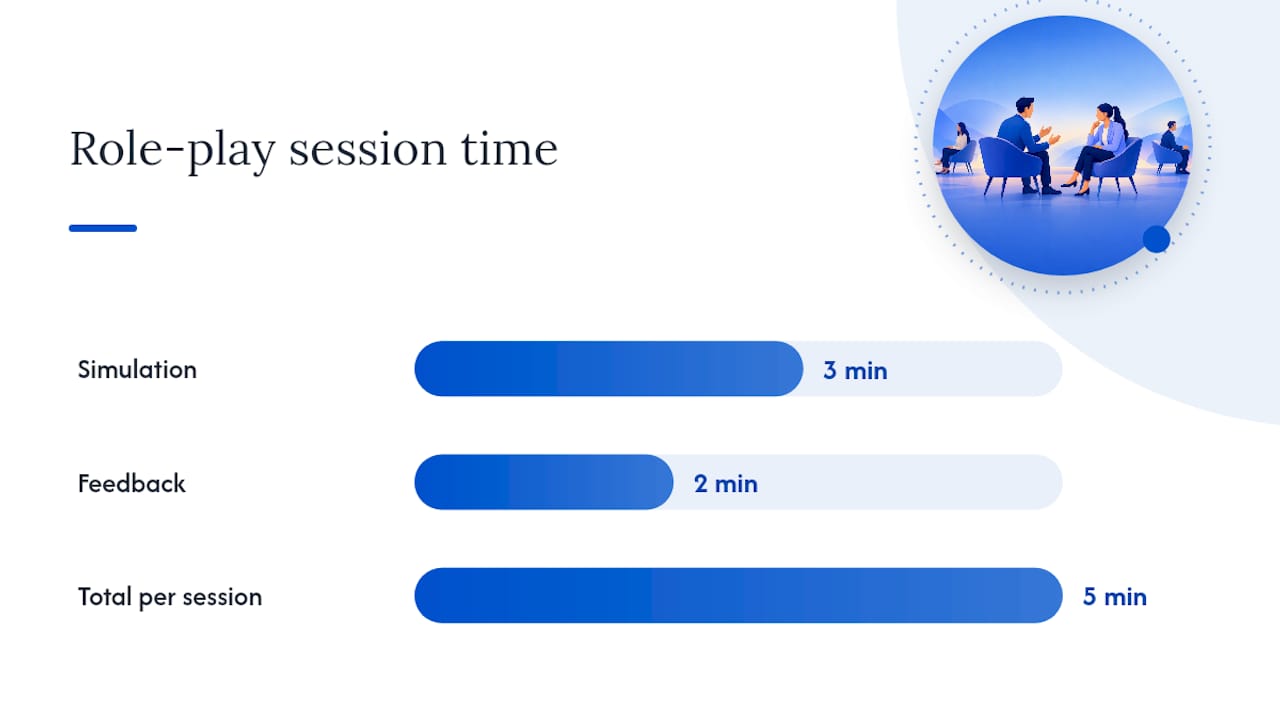
Role-play is where scripts become instinct. Run three-minute call simulations followed by two minutes of feedback focused on exactly one metric, usually talk-to-listen ratio or time to first qualifying question. Repeating this daily for a new hire’s first two weeks shortens ramp time more than any amount of reading.
Pro Tip: Record role-play calls and have the rep replay only the first 20 seconds. That’s the part worth perfecting before anything else.
If we can’t make you money, we don’t deserve yours.
Pay-Per-Result pricing — performance-based alignment.
Objection handling and branching prompts
Most calls die on one of five objections, and each one has a specific response that keeps the conversation alive instead of ending it.
- “I don’t have time right now”: anchor a specific alternative immediately: “Totally understand, would tomorrow at 2pm or Thursday morning work better?” Naming two exact times outperforms a vague “when’s good for you.”
- “Call me later”: get specific instead of accepting vagueness: “Happy to. Is that later today, or should I plan on next week?” This forces a real commitment instead of a soft dismissal.
- “We’re not interested”: use a permission-seeking probe rather than a pitch: “Fair enough, can I ask what you’re currently using for [function]?” This often reveals whether the objection is real or just a reflex.
- “We already have a vendor”: reframe around gaps rather than attacking the incumbent: “Makes sense, most teams we work with kept their existing setup and added us for [specific gap].” This avoids sounding like you’re trashing a competitor’s tool.
- “We don’t have budget”: separate budget from priority: “Understood, is this something that’s not a priority right now, or is it more that the budget cycle hasn’t started?” The answer tells you whether to follow up in a month or drop the lead.
Treat every objection as a qualification signal rather than a rejection. A prospect who objects with specifics (“we just signed with someone else”) is more qualified than one who gives a vague brush-off, because specifics mean they’ve actually thought about the problem. When a prospect gives the same objection twice after a genuine reframe, that’s the signal to end the call politely and move to the breakup email sequence instead of pushing further.
Scheduling and low-friction confirmation best practices
The way you offer a meeting time matters almost as much as the script that got you there. Offer two specific time options first, “Would Tuesday at 10am or Wednesday at 2pm work better?”, and only fall back to a calendar link when neither time fits. Specific options remove the decision fatigue of an open-ended scheduling link and get a faster yes.
- Use a pooled booking link when multiple reps can take the meeting and speed matters more than which rep gets it.
- Use a rep-specific link when the prospect has already built rapport with one person and continuity matters more than speed.
- Send a confirmation message within minutes of booking, including one short prep sentence like “We’ll spend the 15 minutes on [specific topic] so come with any questions about that.”
- Follow a reminder cadence of one message 24 hours before and one an hour before, which covers most of the drop-off window without feeling like spam.
Pooled scheduling links reduce booking friction and routing errors compared with manually copied calendar links, based on industry movement toward universal scheduling tools. Automation should remove friction from the booking step, not replace human review when a prospect’s answers suggest they need qualification before a slot is confirmed.
Measure and iterate: metrics and testing plan for scripts
A script pack is only as good as your ability to tell which version is actually working. That means tracking the full funnel, not just calls made.
- Calls to conversations: how many dials turn into an actual live conversation, which tells you whether your opener and timing are working.
- Conversations to qualified: how many conversations pass your qualifying question, which tells you whether your targeting is accurate.
- Qualified to appointments booked: how many qualified prospects agree to a meeting, which isolates your CTA’s effectiveness.
- Appointments to show rate: how many booked meetings actually happen, which reflects your confirmation and reminder cadence more than the script itself.
HubSpot’s appointment-setting framework recommends running each script variant for a minimum of 200 calls or 30 days, whichever is longer, before drawing conclusions about which version performs better. Shorter test windows produce noise, not direction.
| Funnel stage | What it measures | Why it matters |
|---|---|---|
| Calls to conversations | Opener and timing effectiveness | Low numbers here point to list quality or opener problems |
| Conversations to qualified | Targeting accuracy | Low numbers here mean the ICP filter needs work |
| Qualified to appointments | CTA effectiveness | Low numbers here mean the ask is too big or too vague |
| Appointments to show rate | Confirmation and reminder quality | Low numbers here point to booking friction, not the script |
Log four fields in your CRM for every call: the script variant used, the lead trigger that prompted the call, the objection type encountered if any, and the final disposition. This simple structure, drawn from the same operating-system approach HubSpot outlines, turns a pile of call notes into a dataset you can actually learn from within a few weeks.
Why this works: evidence and publisher proof points
The framework in this guide isn’t theoretical. It reflects patterns LeadsNow AI has tracked across its own pay-per-result appointment booking work, and it lines up with what the major sales research organizations recommend.
- A breakdown of AI appointment setters compared with human SDRs shows how scripted-but-flexible call structures perform against fully human-run outbound.
- HubSpot’s sales scripting research backs the short-opener, branching-prompt structure used throughout this guide.
- Gong’s 2025 sales insights note that fundamentals like active listening and multi-threading still drive conversion even as AI tools take over prep work, a distinction worth keeping in mind before over-automating a call.
- Agencies adopting AI for outreach prep and prioritization are seeing measurable productivity gains, according to analysis of AI’s impact on agency workflows, which mirrors what LeadsNow AI applies to its own booking pipeline.
None of this replaces judgment on the call itself. AI can prep a rep with the right trigger and proof point before dialing, but the actual back-and-forth still depends on a human listening for real signals rather than following a transcript.
What I’ve learned coaching reps off the script
The reps who improve fastest are the ones who stop treating the script as a safety blanket after about two weeks. Early on, a written opener keeps a new hire from freezing. Once they’ve made a hundred calls, the same script starts to sound stiff if they don’t loosen it, and the best ones start paraphrasing the value line in their own words while keeping the structure intact.
The balance that works: use AI prep to identify the trigger and proof point before the call, but let the human read the room once the prospect starts talking. A script tells you what to say next when you’re unsure. It should never tell you to keep talking when the prospect just gave you a real answer worth pausing on.
— Riley
How LeadsNow AI can help you skip the testing phase
Building and testing a script pack takes weeks even with a good framework. LeadsNow AI runs this process for clients on a pay-per-result basis, meaning you only pay when a qualified appointment actually lands on your calendar, not for calls made, scripts written, or hours billed.
- The AI Appointment Setting service combines AI-driven outreach with human-reviewed qualification, so scripts get tested and refined without your team running the A/B tests manually.
- Pricing runs on a per-result fee or revenue share model, with no retainer, so the cost is tied directly to appointments booked.
- The same system pairs with database reactivation work for teams sitting on dormant leads that a fresh script pack alone won’t revive.
If you’d rather have the testing, scripting, and qualification handled end to end, book a look at the AI Appointment Setting service and see how the pay-per-result model fits your calendar goals.
Sources
- How & why to use sales scripts + 14 examples and templates
- Cold calling scripts: 21 examples, templates, and tips 2026
- Complying with the Telemarketing Sales Rule | Federal Trade Commission
FAQ
What is a typical appointment setting process?
A typical process starts with identifying a trigger that makes the call timely, then moves through a scripted opener, a qualifying question, and a specific-time CTA. Teams following an operating-system approach also log every call’s outcome in a CRM to refine targeting over time.
What makes a cold calling script effective?
An effective script scripts only the first 20 seconds and lets the rest of the conversation branch naturally based on the prospect’s answers, according to HubSpot’s scripting guidance. It should name a specific trigger, state one clear value line, and end with a small, specific ask rather than an open-ended one.
Can appointment setting be automated?
Parts of appointment setting, like outreach, follow-up sequencing, and initial qualification, can be automated using AI agents, while final human review still helps catch edge cases a script can’t anticipate. Services like LeadsNow AI’s appointment setting combine AI-driven outreach with human-reviewed qualification rather than removing people from the process entirely.
Is an appointment setter the same as a telemarketer?
The two roles overlap but aren’t identical: appointment setters typically focus on booking qualified meetings for a sales team, while telemarketing often includes direct selling over the phone. Both are subject to compliance rules like the FTC’s Telemarketing Sales Rule when outreach targets consumers.
How do I know if my script is working?
Track the full funnel from calls made to conversations, qualified leads, booked appointments, and show rate, then compare variants only after running each for a minimum of 200 calls or 30 days as recommended in HubSpot’s testing guidance. A script that books meetings but produces a low show rate usually points to a confirmation or reminder problem rather than the script itself.
Recommended
- AI Appointment Setter vs Human SDR for Coaches: 2026 Cost & Performance Breakdown
- How to Price B2B SaaS Deals: A Framework Based on 1,425+ Booked Demos
Pay-Per-Result appointments
See if we’re a fit
We book qualified sales appointments for you and you pay on results, not retainers. Our booking page asks a few quick questions so you find out in two minutes whether that model suits your business.
- 50,769+ appointments booked without cold calling.
- Pay-Per-Result pricing — you pay for booked, qualified calls.
- Pick your own time on our live calendar, no phone tag.